 THEREiS
Title :
About SSE(Server-Sent Events)
This page was translated from the Korean original using AI. If anything reads oddly, please refer to the original. Read the Korean original →
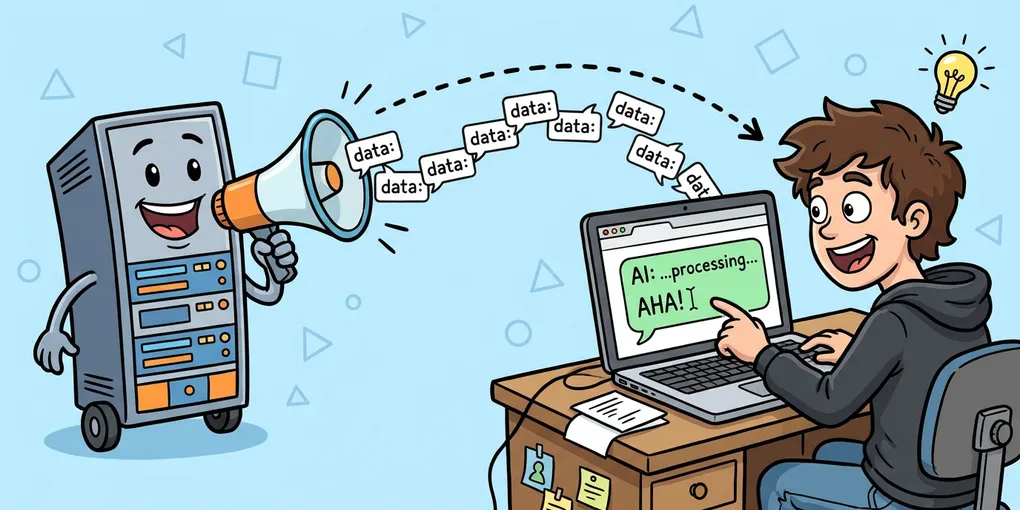
I recently learned about something called SSE. It’s not actually a new technology. It became a standard back in 2015, but in 2015 I wasn’t a mature enough developer to be learning new tech like this (in other words, I was busy struggling just to get by), so I never knew about it until recently.
Think about it: when you chat with an AI, you’ve probably noticed the reply doesn’t arrive all at once but gets written out bit by bit, as if it’s talking to you. I just assumed, “Must be some client-side animation trick,” and then when I came across SSE I was surprised: “Oh, so that’s what they use!” I guess you really do have to keep studying.

Let’s Find Out What SSE(Server-Sent Events) Is
At its core, HTTP communication works by pairing a Request with a Response. That’s the basic protocol. But people thought it’d be nice if the server could freely send data to the client without being asked. Services like chat, for example.
With chat, I never asked the server for anything, yet it sends me what other people say.
This approach is called socket communication. It opens a communication channel between the client and the server so that both sides can send and receive data. You can think of it as “I’ll keep my mouth open, just push the data in.” There’s no ordering guarantee and no upfront connection procedure, so it’s fast while communicating. (Of course, WebSocket runs on top of TCP, so it does guarantee order and has a connection procedure.)
But socket communication has its downsides too.
Downsides of Socket Communication
1. The server has to keep holding on to connections. Unlike HTTP, where a request comes in, gets a response and is done, you have to keep a connection open for every connected user. 10,000 users means 10,000 connections. Even someone who’s just sitting there without saying anything takes up server memory.
2. Scaling out the server is tricky. Say you get more users and add a second server. If A is connected to server 1 and B to server 2, server 1 can’t pass a message to B directly. You need a separate mechanism for servers to exchange messages (something like Redis Pub/Sub), and the load balancer has to be set up to keep sending the same person to the same server.
3. Easily blocked by firewalls and proxies. Traffic that isn’t plain HTTP often gets blocked by firewalls and proxies on company or school networks. It works fine at home but not at the office.
4. Handling disconnections is a pain. Connections drop more often than you’d think, like the moment you switch from Wi-Fi to LTE on the subway. Noticing the disconnect, reconnecting, and fetching the messages you missed while disconnected: you have to handle all of it yourself.
5. Even if you only need server → client, you still have to build a two-way channel. Even when the server only needs to send things one way, like stock prices, notifications or AI answers, you take on every one of the problems above. The tail ends up wagging the dog.
So socket communication has big advantages but also big downsides, which is why most internet communication happens over HTTP. Sockets are used only in very special cases, that is, services that need to receive data from the server in real time.
For this post to flow naturally, I should be able to say “SSE is a brand-new technology that solves all of these problems!”, but SSE also works by receiving server events as a stream, so it can’t escape the downsides of socket communication. Still, it has the advantages below, which make it worth learning.
Advantages of SSE
1. It’s just HTTP
You don’t switch protocols. You just send the response as Content-Type: text/event-stream and don’t close the connection. That means you can use your existing HTTP infrastructure as is: authentication (cookies, tokens), CORS, load balancers, firewalls, all of it. That takes a lot of the stress out of building infrastructure.
2. It’s simple to implement
On the client, one line, new EventSource(url), is all it takes to connect. The server just streams text line by line in the data: content format. No extra library needed. Whenever I had to build something that required socket communication, I’d get scared, so it’s a relief to have more options to choose from.
3. It reconnects on its own when disconnected
With EventSource, the browser automatically reconnects when the connection drops. The server can set the retry interval with retry:. If the server attaches an id: to each message, the browser tells it “I got up to here” with the Last-Event-ID header when reconnecting. So the server can resume from the messages you missed. With socket communication you’d have to build all of this yourself. Oh my god. I think making this a standard was a really great decision.
4. You can separate event types
If you send events with a name like event: orderCompleted, the client can receive them by type with addEventListener('orderCompleted', ...). The client can sort the server’s events as they come in!
5. A perfect fit for one-way server → client communication When the server only needs to send things, like notifications, stock prices, progress updates or streaming AI answers, you don’t need a two-way channel.
So What Is SSE, Anyway?
In one line: “the server keeps sending without ever finishing the HTTP response.”
Normally, HTTP sends one response per request and closes the connection. With SSE, the client makes just one request, and instead of pretending it’s done responding, the server tacks a little more content onto that response every time it has something to say. From the client’s point of view, it’s like downloading a file that never finishes.
Compared to the socket communication diagram, the arrows only flow one way, server → client. If the client wants to say something to the server, it just sends a separate HTTP request as usual.
Message Format
What the server sends is just text. You write lines in the form field: value, and a single blank line marks the end of one message.
: A line starting with a colon is a comment. Sometimes sent to keep the connection alive.
data: Hello
id: 42event: orderCompleteddata: {"orderId": 1234, "status": "done"}
retry: 5000data: First linedata: Second line
There are exactly four fields you can use.
| Field | What it does |
|---|---|
data |
The content to send. For multiple lines, write data: several times, and the receiver joins them with a newline (\n) |
event |
Event name. If omitted, it becomes the default message event |
id |
Message number. Comes back in the Last-Event-ID header on reconnect |
retry |
How many milliseconds to wait before reconnecting after a disconnect |
If you want to send JSON, put a JSON string in data: and JSON.parse it on the receiving end. That’s it. Really.
Client: EventSource
const source = new EventSource('/events');
// Messages without an event field arrive heresource.onmessage = (e) => {  console.log(e.lastEventId, e.data);};
// Messages sent with event: orderCompleted are received separately by namesource.addEventListener('orderCompleted', (e) => {  const order = JSON.parse(e.data);  console.log(order.status);});
// Called when the connection drops. The browser tries to reconnect on its ownsource.onerror = () => {  console.log('Disconnected, trying to reconnect...');};
// Close it yourself when you don't need more. Once closed, it won't reconnect// source.close();
One thing to watch out for here. Messages sent with a name via event: do not arrive at onmessage. You have to register that name with addEventListener to receive them. Not knowing this is a perfect recipe for “Why isn’t anything coming in?”
If you need to send cookies to a server on another domain, open it with new EventSource(url, { withCredentials: true }). And if the server responds with 204 No Content, the browser decides “nothing more to send” and stops reconnecting. That’s how the server can end the connection for good.
Server: Node.js Example
Here’s what it looks like with nothing but Node.js’s built-in http module, no libraries.
import http from 'node:http';
http.createServer((req, res) => {  if (req.url !== '/events') {    res.writeHead(404).end();    return;  }
  res.writeHead(200, {    'Content-Type': 'text/event-stream',    'Cache-Control': 'no-cache',    'Connection': 'keep-alive',  });
  // If this is a reconnect, the browser tells us the last number it received  let id = Number(req.headers['last-event-id'] ?? 0);
  const timer = setInterval(() => {    id += 1;    res.write(`id: ${id}\n`);    res.write(`data: ${new Date().toLocaleTimeString()}\n\n`);  }, 1000);
  // Clean up the timer when the client leaves  req.on('close', () => clearInterval(timer));}).listen(3000);
There are three key points: put Content-Type: text/event-stream in the header, don’t call res.end(), and end each message with \n\n (a blank line). In a real service, you’d look up the messages missed after the number received via last-event-id in your storage and send those first.
Limitations of SSE
If it only had advantages, everyone would be using nothing else.
- It can only send text. UTF-8 text only. To send binary like images you’d have to convert to Base64, and at that point you’re better off just sending the image URL.
EventSourceonly does GET. You can’t include a request body, and you can’t set headers likeAuthorizationyourself. Authentication has to go through cookies or a token in the URL.- HTTP/1.1 has a connection limit. Browsers only open up to 6 connections per domain. Open 7 tabs and the 7th tab can’t connect. With HTTP/2, multiple streams share a single connection, so this problem practically disappears.
- Watch out for proxies that buffer in the middle. If a reverse proxy like Nginx buffers the response and sends it all at once, it’s no longer real time. With Nginx, set
proxy_buffering off;, or addX-Accel-Buffering: noto the response headers.
So What About AI Chat?
The thing to know up front is that EventSource only allows GET. AI services sometimes send images along with the question, and for various reasons they need to send a body via POST. That’s where the problem comes in. I want to receive messages over SSE, but the AI request has to go out as a POST! Then you can’t use EventSource. That said, if you request stream: true, the AI does send its answer back in SSE format.
So in practice, it’s common to send a POST request with fetch, read the response as a stream, and split out the data: lines yourself.
const res = await fetch('/api/chat', {  method: 'POST',  headers: { 'Content-Type': 'application/json' },  body: JSON.stringify({ message: 'What is SSE?' }),});
const reader = res.body.pipeThrough(new TextDecoderStream()).getReader();
while (true) {  const { value, done } = await reader.read();  if (done) break;  // value contains "data: ..." lines.  // Chunks don't line up neatly with one message each, so split on blank lines.  console.log(value);}
The format is still SSE; only the way you receive it is different. But since this isn’t EventSource, you have to build perks like automatic reconnection yourself. Damn.
To Sum Up
| SSE | WebSocket | |
|---|---|---|
| Direction | Server → client | Two-way |
| Protocol | Plain HTTP | Starts as HTTP, then switches to WebSocket |
| What it can send | Text | Text, binary |
| Auto reconnect | The browser does it | Build it yourself |
| Good fit for | Notifications, prices, progress, AI answers | Chat, games, collaborative editing |
If the server talks and the client only listens, think of SSE first before reaching for WebSocket. More cases fit this than you’d expect.
Wrapping Up
Today we looked at SSE in theory, and next time let’s actually implement and use it. Not with Node.js, but with Java Spring Boot. Somehow I feel like implementing it in Spring Boot will be more useful in real work.
That’s it for today, bye!

Loading comments...