 THEREiS
Title :
Can One Photo Turn a Product into 3D? (feat. Meshy AI)
This page was translated from the Korean original using AI. If anything reads oddly, please refer to the original. Read the Korean original →
Introduction
I’m currently working on a WMS (warehouse management system) project in the US. The project wraps up at the end of December and I’ll head back to Korea, but the problem is that I have nothing lined up starting in January.
So I figured I’d try picking up some remote freelance work, and while digging through Wishket (a Korean freelance marketplace), I found a request I liked. The client wanted to build 3D models from product photos and show them to their customers.
Since I’m in the US right now, I’m not sure I could take the job right away. Still, the requirement itself was interesting enough that I thought it’d be worth trying to build. So I analyzed the sample page and gathered all sorts of material, and learned that if you load a glb file with Three.js, you can render 3D on the web very lightly.
It’s the binary version of glTF, a standard 3D model format, bundled into a single file. It can hold the shape (mesh), materials, and textures all in one file, which makes it the most common choice for showing 3D on the web. That’s why people often call it “the JPEG of 3D.”
The Main Problem
But apparently, to make a glb file you need a 3D tool called Blender.
To be honest, I haven’t touched a 3D rendering tool since I got a D- in a 3D MAX class back in college. Me, using Blender? Next to impossible.
On top of that, it’s the client, not me, who has to use this feature. Telling a client “model your products in Blender, then take photos and apply them as skins” is basically asking them to walk a path of thorns.
I need an alternative.
Find a Way, Then Verify It
Looking a bit further, I found AI services that automatically build a 3D model from just a few uploaded photos. There are several similar services, and Meshy AI looked like the best of them.
It even offers an API. (Granted, other AI 3D modeling services offer APIs too.) With an API, I thought a setup where you just upload a bunch of product images in the admin page (CMS) and 3D models get generated automatically would be possible.
So as a test, I grabbed a random clothing image and had Meshy AI model it.
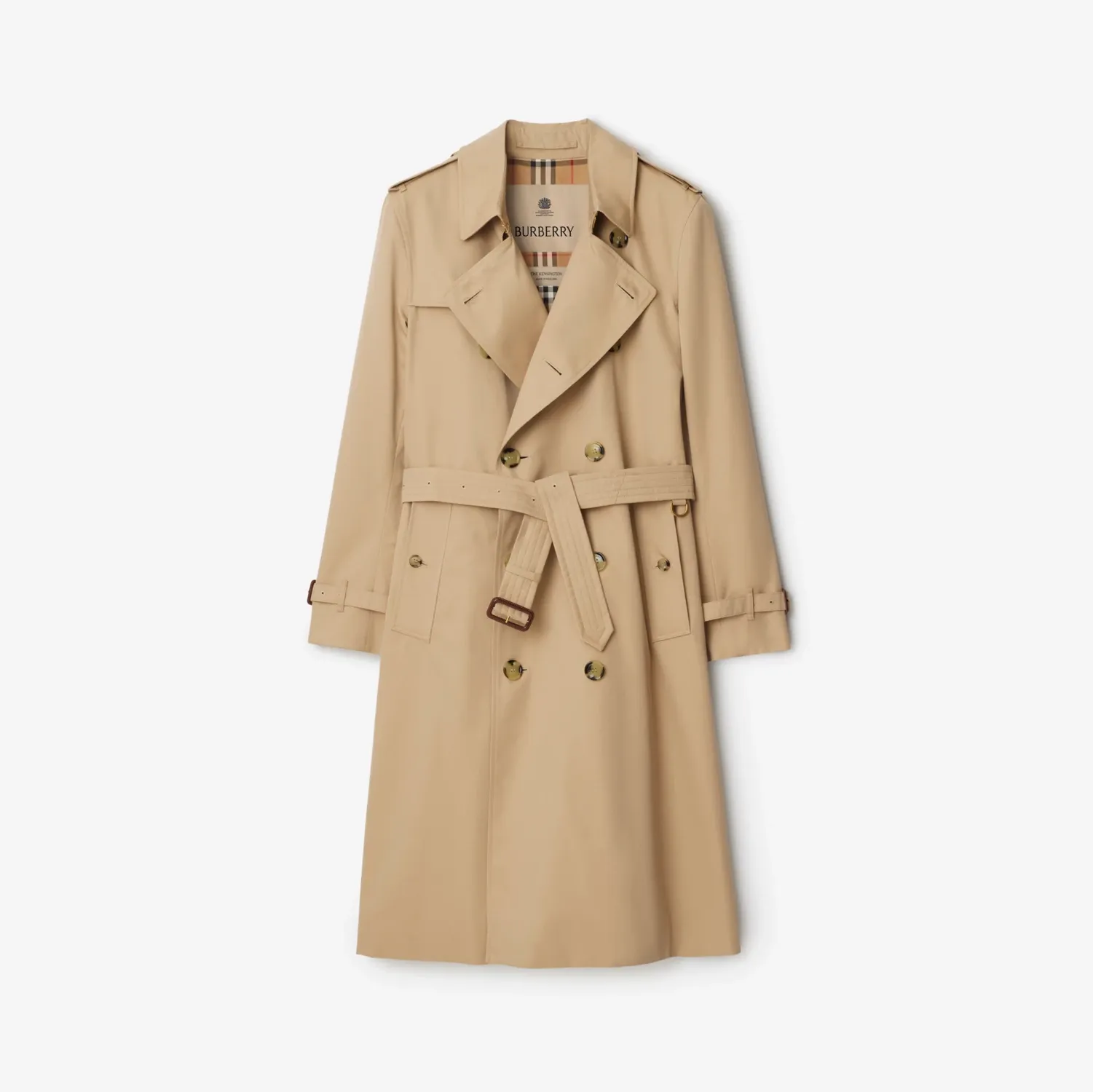 (The trench coat photo I used for the test)
Below is the result. Drag with your mouse to rotate it, and scroll the wheel to zoom in. On mobile, just rotate it with your finger.
The glb file Meshy AI produced was originally about 25MB. That was too heavy to put on the blog as-is, so I compressed it with gltf-transform down to 1.1MB. To the eye, there’s barely any difference.
I’ll cover the implementation in detail next time.
Bye.
Loading comments...